Real thresholds per country, market and currency
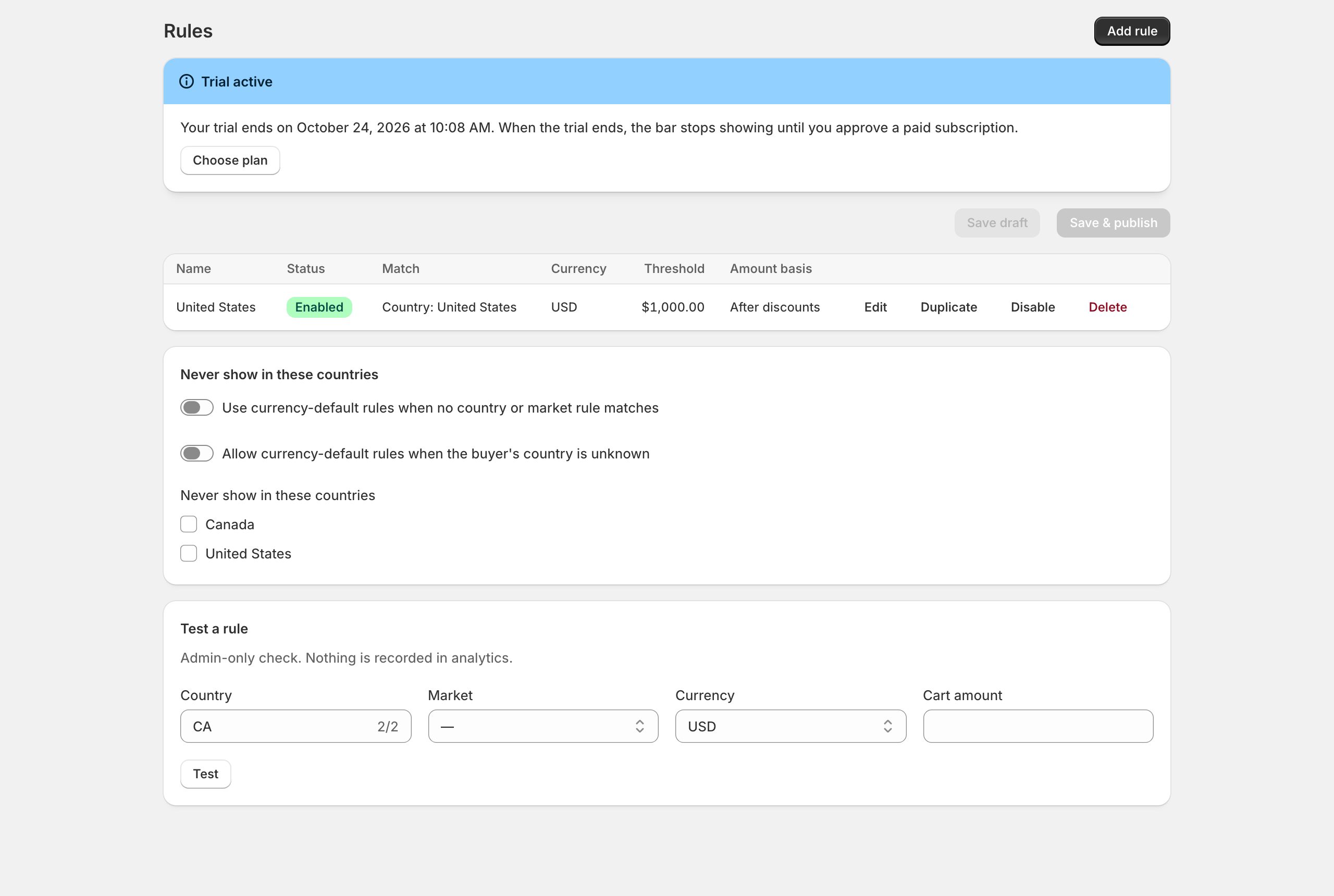
Set a threshold for the US, another for Canada, one per Shopify Market or a currency default. Buyers always see the rule that matches their country and currency — or no bar at all.
Shopify app · cart page · cart drawer · Plus checkout
ShipMeter shows a clear progress bar with the exact amount left to your free‑shipping threshold — right where buyers decide: the cart page, the cart drawer and the checkout.
No credit card for the trial · No code · Removes cleanly
ShipMeter only displays your threshold. It never creates shipping rates or discounts, so what the bar promises is exactly what checkout charges.
Set a threshold for the US, another for Canada, one per Shopify Market or a currency default. Buyers always see the rule that matches their country and currency — or no bar at all.
The app embed finds the cart page and drawer on supported themes and keeps the bar in sync as items, quantities and discounts change — no theme code edits.
On Shopify Plus a native checkout block shows the same progress with Shopify’s own components, so the message never disappears at the last step.
Presets, colours, sizes, icons, texts per language and a live preview for every state: empty cart, below, exactly at and above the threshold.
Impressions, threshold reached, checkouts started and completed after seeing the bar — consent‑aware, pseudonymous and aggregated.
A tiny async loader, no render blocking, no layout shift from late inserts. No names, e‑mails or addresses of your buyers are ever stored.
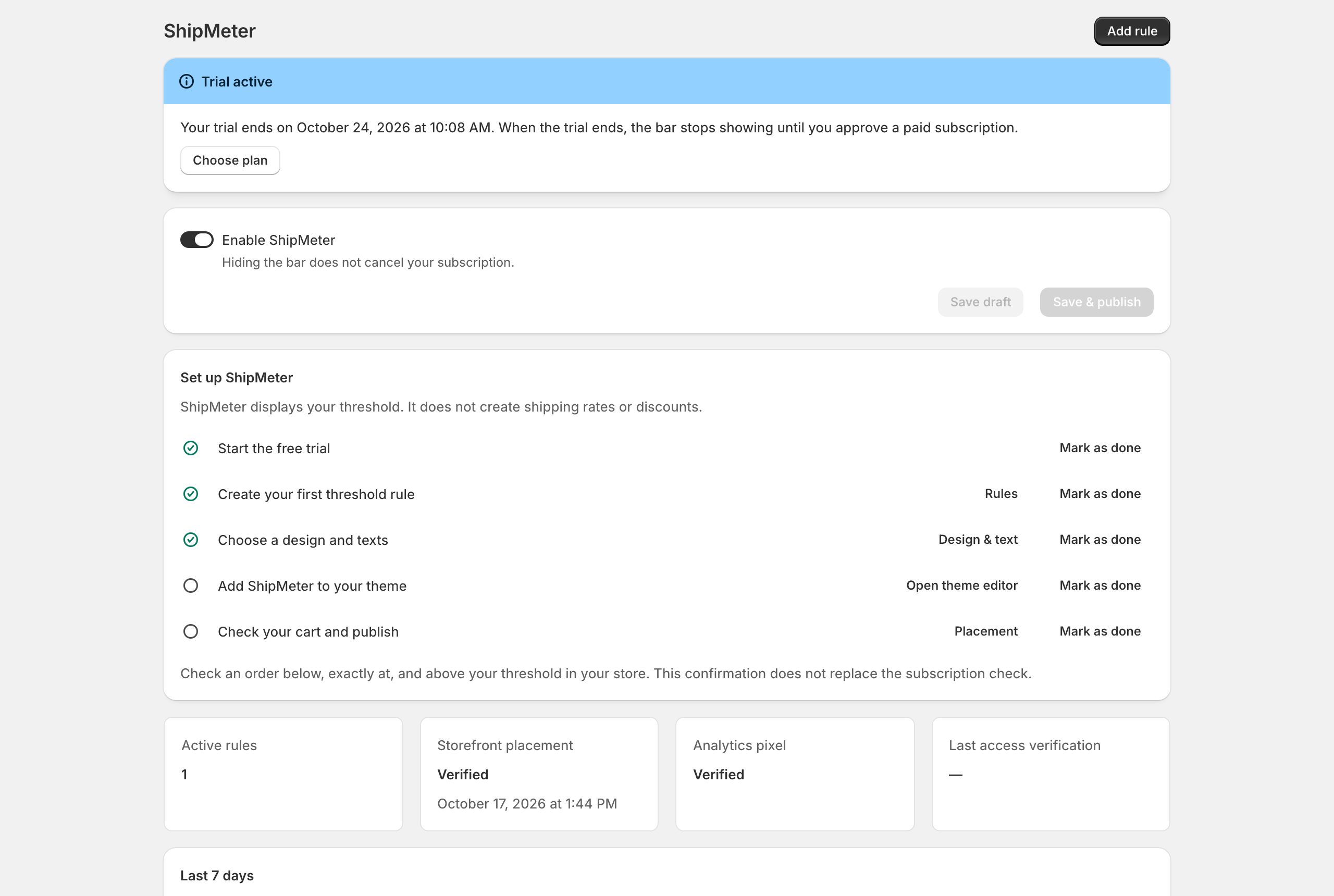
Add ShipMeter from the Shopify App Store. The 3‑day trial starts only when you click “Start trial”.
Enter the same free‑shipping minimum you use in Shipping settings and confirm it. Add more rules for other countries, markets or currencies.
One click opens the theme editor. Check your cart below, at and above the threshold — and publish.
Real screenshots from a Shopify development store.
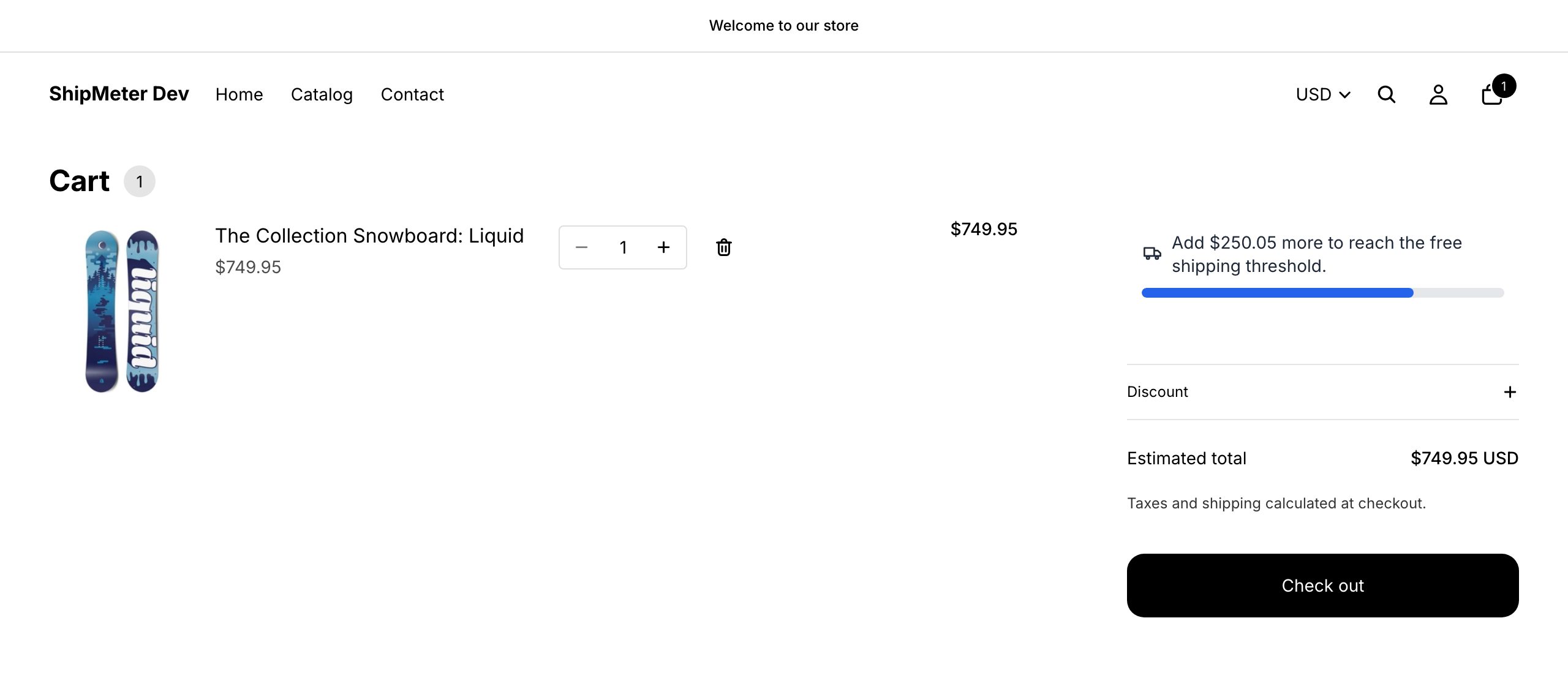
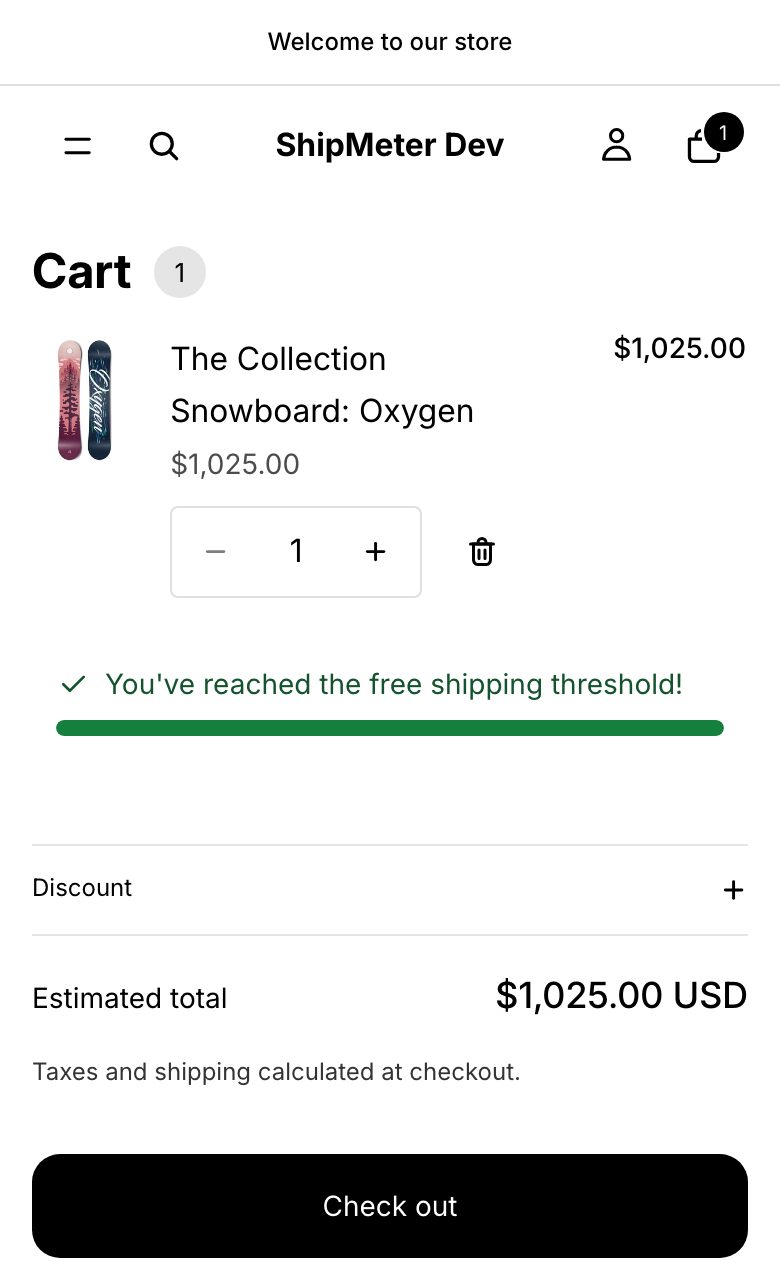
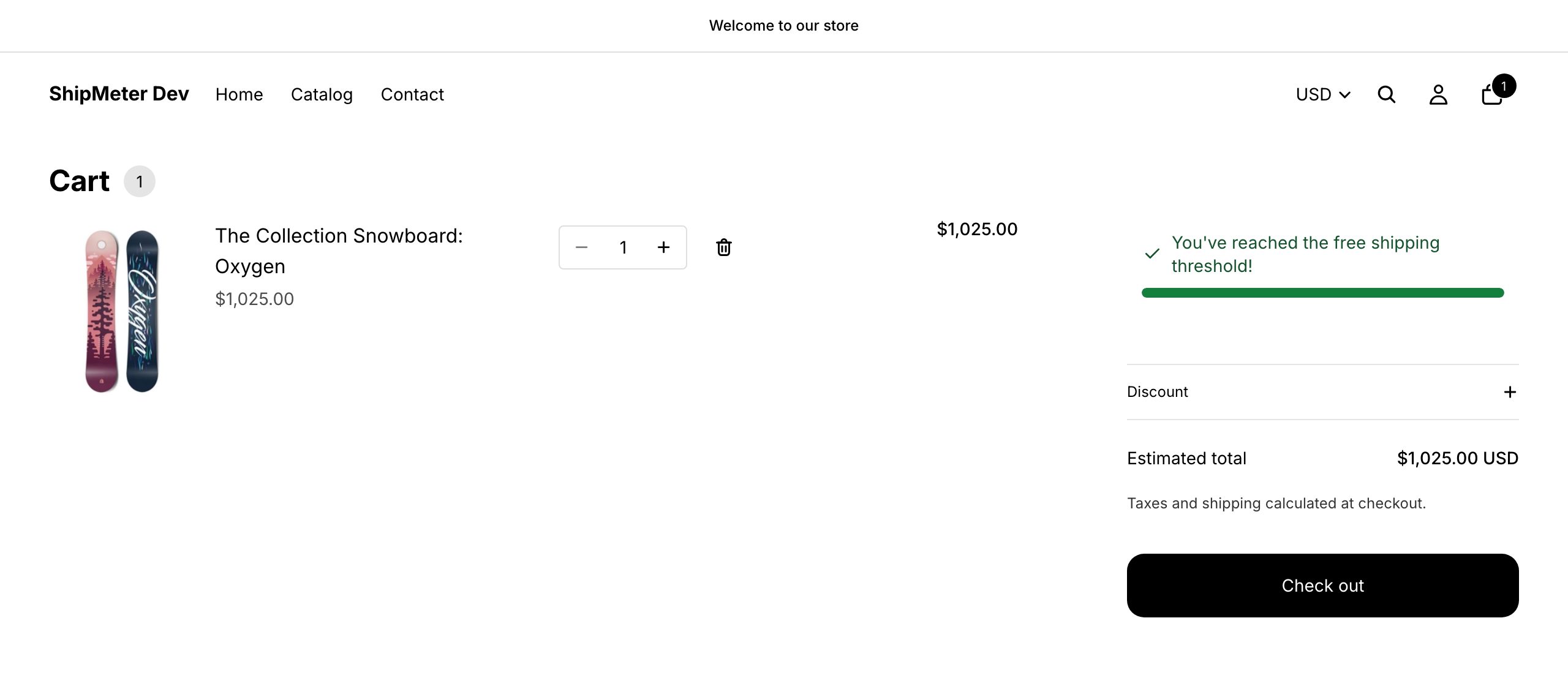
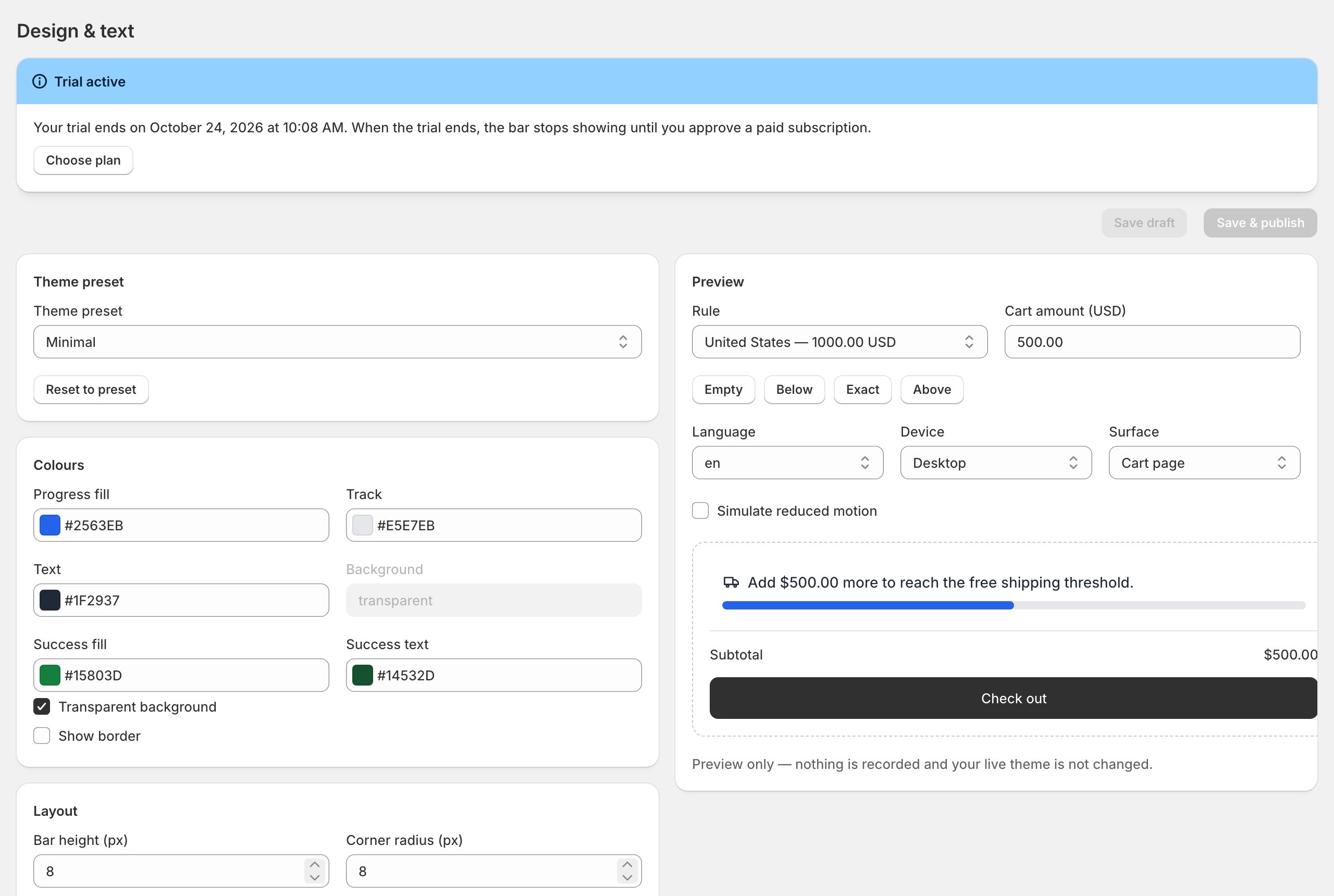
One plan, every feature. Billed by Shopify.
$0
3 full days with every feature. No charge — you choose a plan only if you want to keep it.
$4.99 / month
Includes: unlimited rules, cart page & drawer, Plus checkout block, design editor, analytics, support.
$49.90 / year
Includes: unlimited rules, cart page & drawer, Plus checkout block, design editor, analytics, support.
No. It only displays the threshold you enter. Free shipping itself is configured in Shopify (Settings → Shipping and delivery). Keep both values the same.
Automatic placement is tested on Dawn and Horizon (cart page and drawer) and also works on themes built on them. On other Online Store 2.0 themes use the app block on the cart page or a custom position.
Yes. Create rules per country, per Shopify Market or a default per currency. Amounts are never converted on the fly — each rule is in its own currency.
On Shopify Plus stores, yes — add the ShipMeter block in the checkout editor. Other plans show the bar on the cart page and drawer.
Shop settings and aggregated, consent‑based statistics. No names, e‑mails, phone numbers, addresses or IP addresses of buyers. Details in the privacy policy.
Without an active plan the bar simply stops showing — your store keeps working normally. Uninstalling removes the app and its storefront code.
Install ShipMeter, add your threshold and see it in your cart in minutes.
Add to Shopify